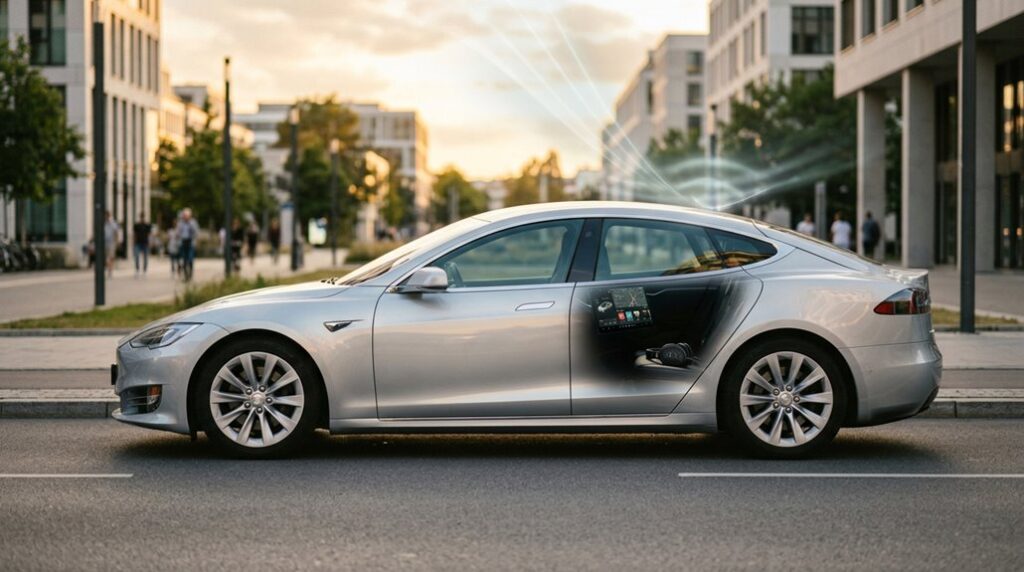

Tesla’s entertainment system is anything but basic — yet SiriusXM doesn’t work the same way in every model. Your hardware generation, software version, and even your Radio ID prefix quietly determine whether you get satellite radio or nothing at all. Get it wrong, and you’ll burn through a free trial with zero activation. Before you assume your Tesla is compatible, there’s something critical you need to know first.
Which Tesla Models Actually Support SiriusXM?
Not every Tesla gets SiriusXM out of the box, and the split comes down to both hardware generation and software update history. Tesla’s 2024 Holiday Update brought native SiriusXM integration to the Model 3, Model Y, and Cybertruck — models that previously had no factory support. You’ll find SiriusXM listed directly inside the infotainment media sources once your vehicle receives the update.
Model S and Model X owners have a different story. Some already had SiriusXM availability before this rollout, but older variants may require a $500 Radio Upgrade covering the tuner and antenna hardware (regional availability also affects eligibility in certain configurations). No separate satellite antenna is needed for the newer internet-based implementation on Model 3, Model Y, and Cybertruck — SiriusXM streams over Premium Connectivity or Wi-Fi, so streaming latency depends entirely on your connection quality. Bottom line: your specific hardware generation matters more than your vehicle’s badge alone. New subscribers can also take advantage of a one-month free trial with no credit card required before committing to a paid plan.
It’s worth noting that Model S and Model X carry the widest hardware variation across MCU generations, meaning feature availability by generation can differ significantly even between two vehicles of the same model year.
Does SiriusXM Work in Tesla Model S and Model X?
If you own a Model S or Model X, you’re in luck — SiriusXM confirms native support remains active for both models, making them the clear standouts in Tesla’s lineup for this feature.
Depending on your vehicle’s Radio ID (specifically whether it begins with a “V”), you’re either eligible for a one-month premium trial or a more generous three-month all-access trial, both of which require zero credit card information and must be activated in-vehicle. Tesla assigns each vehicle a unique 17-character VIN that can be cross-referenced through the touchscreen, driver-side door jamb, or lower windshield corner to confirm your specific build configuration and eligibility.
Older Model S and X hardware may not access the full SiriusXM experience, so your actual eligibility hinges on your specific build, not just your model designation. Unlike the newer integrations rolled out to Model 3, Model Y, and Cybertruck, the Model S and X experience does not rely on streaming, meaning the service functions through the vehicle’s existing satellite hardware rather than requiring a separate connectivity subscription.
Model S and X Eligibility
Regarding the Model S and Model X, SiriusXM availability isn’t a simple yes or no — it depends heavily on your vehicle’s hardware generation, infotainment system, and software version. Unlike newer Teslas, some Model S and X vehicles use actual satellite radio hardware, meaning your battery life and connectivity requirements differ markedly.
Voice commands won’t activate SiriusXM if your software isn’t current. Here’s what determines your eligibility:
- Hardware generation — Older Model S/X units may carry satellite radio hardware, bypassing streaming entirely.
- Radio ID prefix — A “V”-prefixed Radio ID signals compatibility with the newer integrated streaming path.
- Software version — Without the latest over-the-air update installed, the SiriusXM icon simply won’t appear in your media sources menu.
Vehicles without a “V” prefix in their Radio ID have satellite radio hardware already built in, so no installation or internet connection is required to access SiriusXM in the car. Tesla’s over-the-air software updates can improve or alter vehicle functionality after purchase, which is why keeping your system current directly affects which media features remain accessible. For support specific to your Model S or X, the correct contact number depends on your Radio ID — V prefix owners should call 855-346-8182, while non-V owners should call 855-851-8750.
Trial Access Details
SiriusXM does work in the Model S and Model X — but you’ll need to clear a few prerequisite obstacles before it shows up in your media sources.
First, install the latest over-the-air software update, since the SiriusXM icon only appears under Media Sources after that update lands. Remote software updates deliver performance enhancements, safety patches, and charging strategy changes overnight via Wi-Fi, meaning your vehicle can receive improvements without a service visit.
Second, you’ll need either Premium Connectivity or an active Wi-Fi connection to trigger the trial. No subscription overlap allowed — meaning an existing SiriusXM subscription disqualifies you entirely.
Your Radio ID (found under the Subscription tab) determines your trial length: a “V” prefix gets you one month, while other IDs may enable three months of all-access content. No credit card required, which is invigoratingly rare.
Open the app, tap “Listen Now,” and accept the terms directly inside the vehicle. Once your trial ends, you can continue listening for just five dollars per month for the first twelve months.
Older Vehicle Limitations
While SiriusXM does work in many Model S and Model X vehicles, it doesn’t work uniformly across all of them — and that distinction matters before you spend time troubleshooting a feature that may not exist on your specific hardware.
Three factors determine your actual eligibility:
- Infotainment generation — MCU2 upgrades have killed SiriusXM access in some older configurations
- Hardware compatibility — Legacy satellite tuners differ from newer streaming-based integrations, and tuner replacements can interrupt service entirely
- Radio ID prefix — A “V” prefix confirms newer integration; anything else redirects you toward alternate subscription paths
Verify your model year, infotainment version, and Radio ID before assuming SiriusXM is simply broken. Keep in mind that hardware limitations on older vehicles can also restrict available software features beyond just audio, affecting what your car is capable of regardless of subscription status.
Do You Need Tesla Premium Connectivity for SiriusXM?
Whether you need Tesla Premium Connectivity for SiriusXM depends entirely on which Tesla you drive. Model 3, Model Y, and Cybertruck owners must have either Premium Connectivity ($9.99/month or $99/year) or an active Wi-Fi connection to stream SiriusXM. No internet access means no music — straightforward. Those cellular costs stack up quickly when you’re already paying for a SiriusXM subscription, so budget accordingly.
Model S and Model X owners with factory satellite hardware sidestep this requirement entirely. Their built-in receivers pull the signal directly from orbit, no cellular middleman required.
One workaround worth knowing: a phone hotspot can substitute for Premium Connectivity, though hotspot limitations like data caps and signal inconsistency make it unreliable for regular use. Your Radio ID tells the full story — a “V” prefix confirms you’re using the internet-based streaming path, which means connectivity requirements apply regardless of your preferred workaround. Non-Tesla EV drivers who’ve adopted the NACS connector standard can also access Tesla’s broader ecosystem of network-dependent features, meaning similar connectivity considerations may apply as the platform expands.
How a Tesla Software Update Enables SiriusXM
Unlike a traditional radio upgrade that requires a trip to the dealership, Tesla delivered SiriusXM to the refreshed Model S through a single over-the-air software update — specifically version 2021.32.10 — without touching the physical hardware. That’s feature gating in action: the capability existed in the vehicle before you ever heard about it.
Here’s what that update actually released:
- SiriusXM activation — The satellite radio function switched on, revealing a media source that was already baked into the firmware compatibility layer.
- Immersive Sound enhancements — Audio tuning gained granularity, including an AUTO mode that adjusts responsively based on content type.
- Subwoofer control — Adjustments became accessible directly from the Media Settings panel.
This same over-the-air update approach means Tesla can also address mechanical and software issues remotely, eliminating the need for oil changes or dealership visits for many routine fixes.
Regional rollout means your neighbor’s identical Model S may receive the update days before yours. Tesla controls the timing — not SiriusXM — so staying connected to Wi-Fi keeps you first in line.
How to Activate SiriusXM in Your Tesla
Before you can activate SiriusXM in your Tesla, your vehicle must be running the latest over-the-air (OTA) software update — without it, the SiriusXM icon simply won’t appear in your Media Sources list.
Once the update lands and the app shows up (look for the blue dot beneath it signaling it’s newly available), you’ll also need either an active Premium Connectivity subscription or a Wi-Fi connection, since SiriusXM won’t stream on cellular data alone without it.
From there, activating your trial means opening the SiriusXM app from Media Sources, tapping “Listen Now,” and accepting the terms and conditions — all from inside the vehicle, because Tesla and SiriusXM require in-car activation and won’t let you complete this flow from your phone or a browser. These over-the-air software updates also deliver broader performance and efficiency improvements that can help optimize real-world range and vehicle preconditioning features.
Software Update Requirements
Getting SiriusXM running in your Tesla starts with a software update, and that single prerequisite determines everything else. Tesla delivers this OTA update automatically, though update timing varies by location and vehicle configuration. Don’t stress the wait — just connect to Wi-Fi to pull it faster.
Once installed, confirm the update worked by checking these three visual cues:
- The SiriusXM icon appears in your Media Sources panel on the center touchscreen.
- A blue dot sits beneath the icon, signaling a freshly added app.
- The Subscription tab becomes accessible inside the app for activation steps.
For OTA troubleshooting, make sure your Wi-Fi connection stays stable during the download. A dropped connection mid-update delays everything unnecessarily. Tesla’s broader technology ecosystem also includes the Supercharger network launch in 2012, which similarly relied on seamless software-hardware integration to deliver a reliable owner experience.
Trial Activation Steps
Activating your SiriusXM trial in Tesla is straightforward, but you have to be sitting in the vehicle to pull it off — activation cannot be completed remotely or outside the car. For this in-vehicle walkthrough, open Media Sources, tap the SiriusXM app (look for the blue dot), then select “Listen Now” and accept the terms.
| Step | Action |
|---|---|
| 1 | Open SiriusXM from Media Sources |
| 2 | Select “Listen Now,” accept terms |
| 3 | Check remaining days under Subscription tab |
No credit card needed for qualifying Radio IDs. For activation troubleshooting, if channels stay silent, refresh via the Subscription tab or call SiriusXM at (855) 851-8750. Premium Connectivity or active WiFi is required throughout. Keep in mind that model-year compatibility differences across Tesla vehicles, such as hardware changes between the 2021 and 2024 Model Y, can affect which connectivity features and media options are available on your specific vehicle.
What Free Trial Does Your Tesla Qualify For?
How long your free SiriusXM trial lasts actually depends on a single detail hiding inside your Tesla’s Subscription tab: your Radio ID. That alphanumeric string determines everything about your activation timing and trial length before you ever hear a single channel.
Here’s how it breaks down:
- Radio ID starts with “V” — Your Tesla qualifies for a one-month premium trial, activated directly in-vehicle by selecting “Listen Now” and accepting terms.
- Radio ID doesn’t start with “V” — You’re likely eligible for a three-month premium trial, but you’ll need to call SiriusXM at (855) 851-8750 with your Radio ID ready.
- Model S and Model X owners — Tesla’s own support page specifically flags these models as potentially qualifying for the three-month all-access option.
One catch: free trials require no existing SiriusXM subscription, so prior subscribers don’t get a second bite at this apple.
Which Siriusxm Subscription Plans Work With Tesla?
Before you start browsing SiriusXM’s plan page, you need to grasp one thing: the subscription options available to you aren’t determined by your Tesla’s model name or year — they’re determined by your Radio ID.
If your Radio ID starts with “V,” your Tesla uses app-based streaming, and SiriusXM routes you toward its All Access audio entertainment tier through the Tesla app streaming experience. Think of it as a software-first setup: everything runs through the in-car app, requiring Premium Connectivity or active Wi-Fi.
If your Radio ID doesn’t start with “V,” you’ve got built-in satellite hardware. That means traditional SiriusXM service, no Tesla connectivity subscription required.
Both paths land at siriusxm.com/plans for subscription tiers, but the journey getting there — and what you’re actually subscribing to — differs markedly. Knowing your Radio ID before you shop saves you from selecting a plan your hardware simply can’t support.
Frequently Asked Questions
Can Existing Siriusxm Subscribers Link Their Tesla to a Current Account?
Yes, you can link your Tesla to a current SiriusXM account. Account linking works by entering your existing email, but subscription transfer isn’t supported—the free trial’s only available to new subscribers.
Does Siriusxm Activation in Tesla Require Steps Taken Inside the Vehicle?
Yes, SiriusXM activation in your Tesla requires in-vehicle pairing—you can’t do it remotely. You’ll complete touchscreen activation by opening the SiriusXM app, tapping “Listen Now,” and accepting the terms directly on your Tesla’s display.
Can a Tesla Radio ID Starting With “V” Affect Trial Eligibility?
Your “V” Radio ID won’t shatter your trial dreams, but it’s a universe of difference—it routes you through app-based streaming, raising VIN concerns around hardware compatibility, requiring Premium Connectivity or Wi-Fi instead.
Does Siriusxm Billing for Tesla Differ From Standard Siriusxm Subscriptions?
Yes, Tesla’s billing differences are notable — you don’t need a credit card to start your free trial. After it ends, subscription pricing drops to just $5 monthly for your first 12 months.
Can Tesla Owners Access Siriusxm on Their Phones Alongside In-Car Use?
Like a key granting access to multiple doors, your activated SiriusXM account lets you enjoy simultaneous streaming beyond your Tesla. You can access the mobile app alongside in-car use once you’ve activated your subscription in-vehicle.